How to generate GitHub token
How to generate GitHub token
- Open the page:
https://github.com/settings/tokens
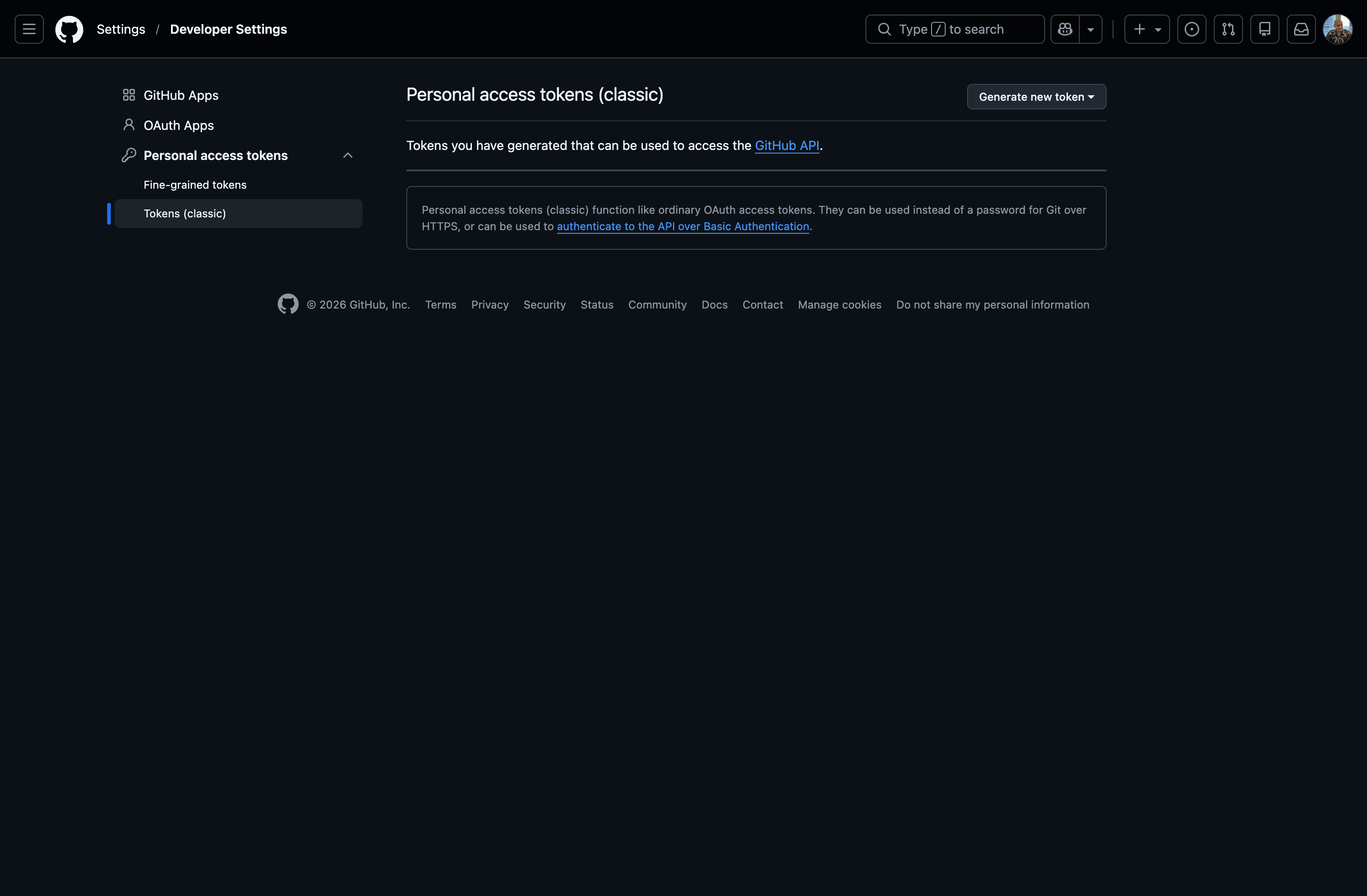
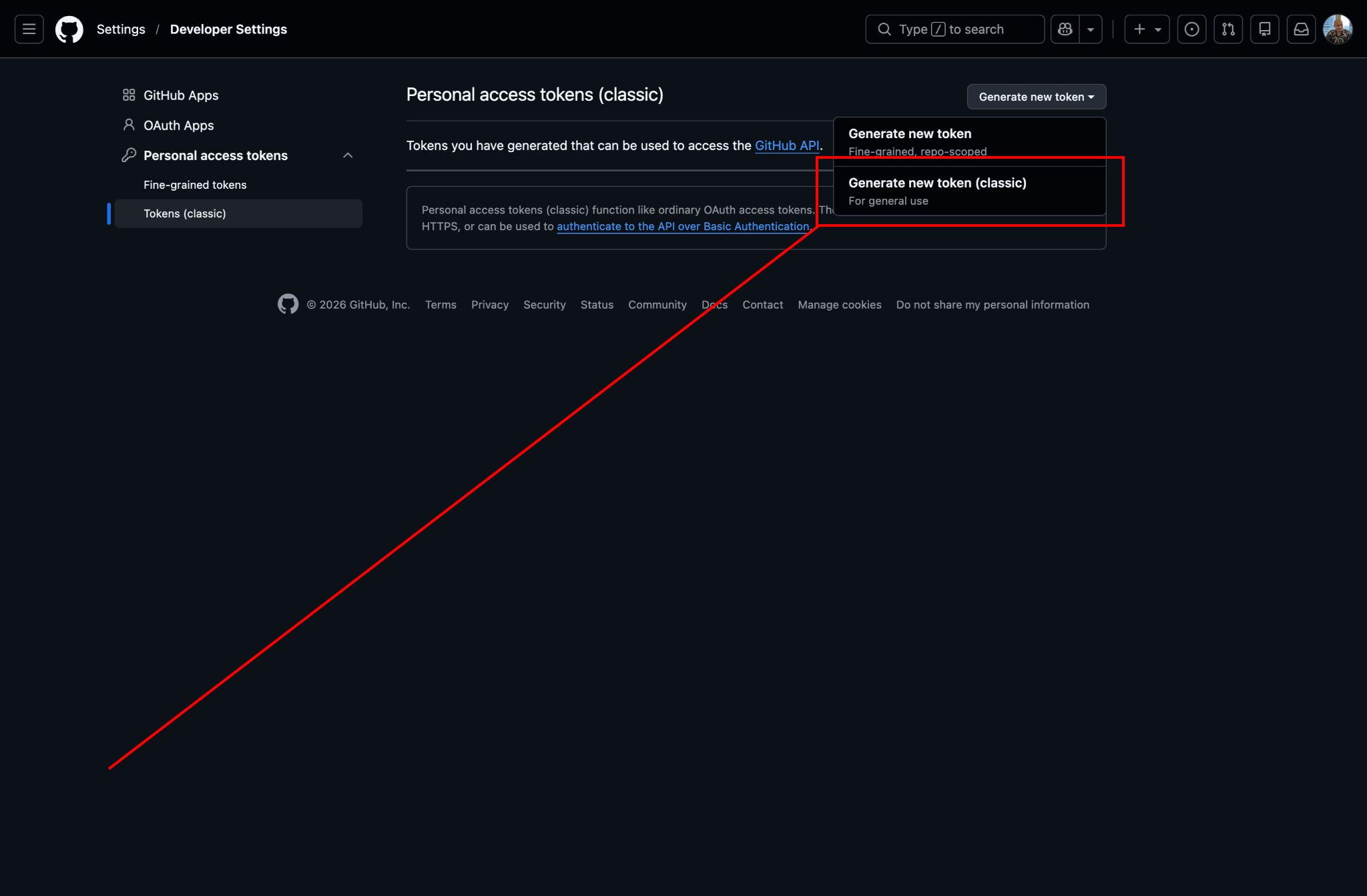
- Click
Generate new tokenand selectGenerate new token (classic).
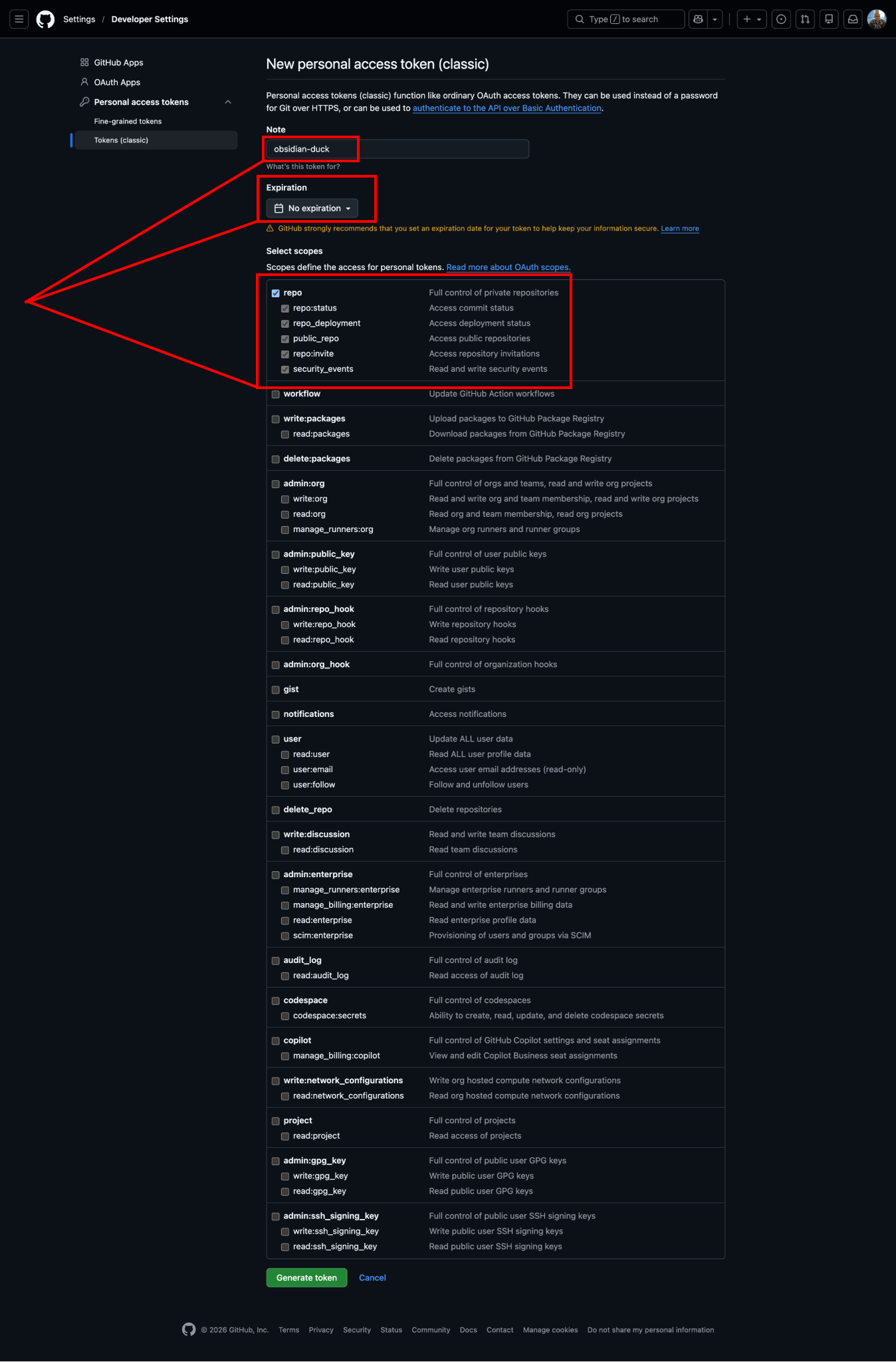
- Set a name, choose
No expiration, and check therepocheckbox.
Then create the token.
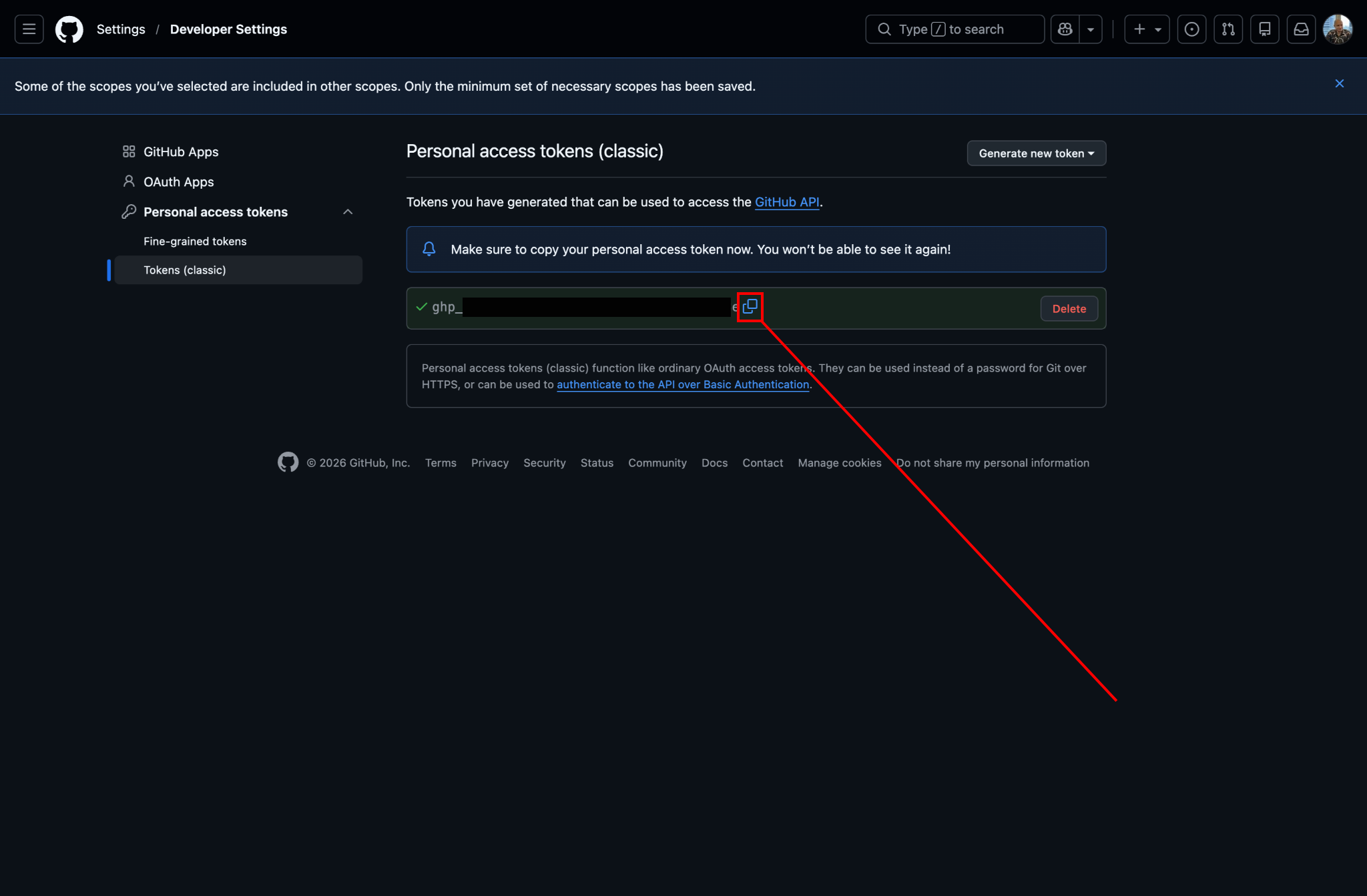
- You will receive a token. Save it somewhere safe and do not share it with anyone.
Ideally, save it in 1Password.
After that, paste this token into the Duck Digital Sync Garden plugin.
Navigation
Previous step: Obsidian Plugins
Next step: Digital Garden plugin setup